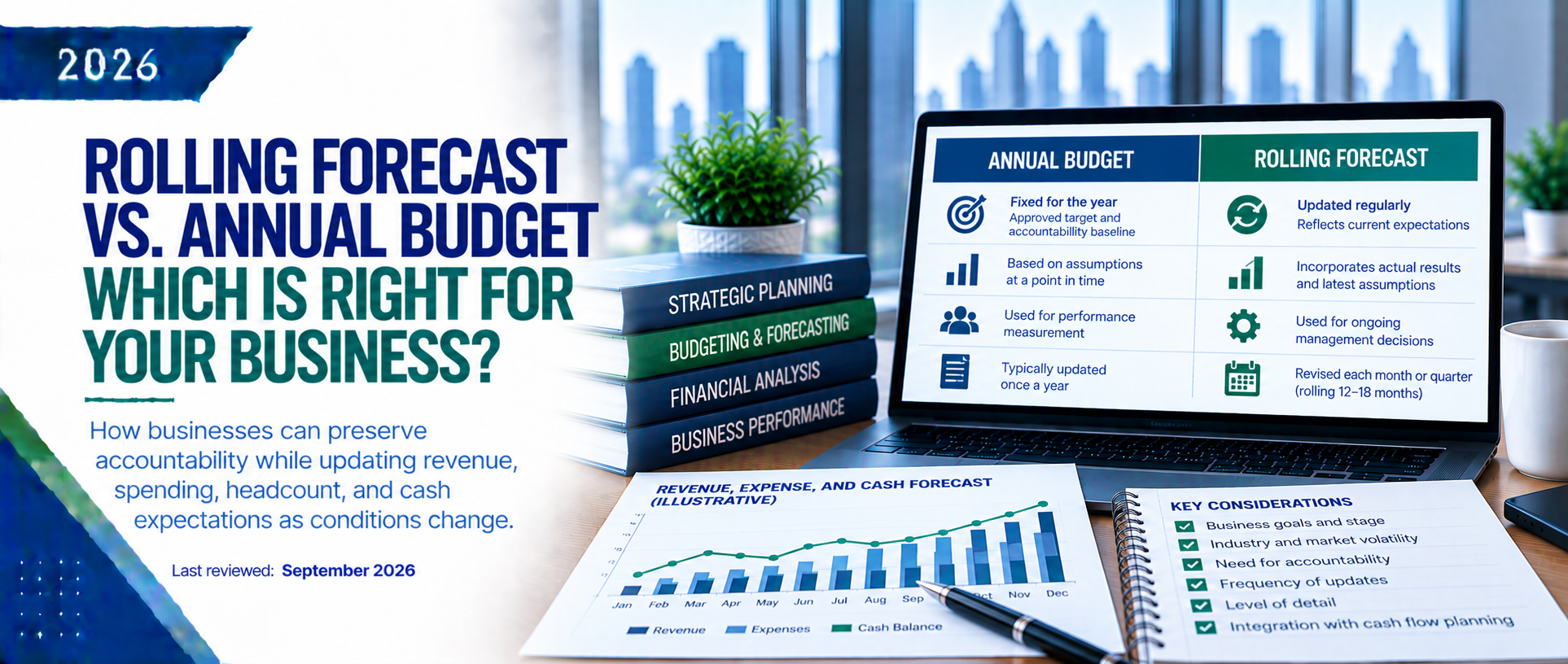
Suggested: CFO comparing a locked annual budget against an updated monthly forecast on screen.
 –>
Business Insight
Rolling Forecast vs. Annual Budget: Which Is Right for Your Business
How businesses can preserve accountability while updating revenue, spending, headcount, and cash expectations as conditions change.
An annual budget and a rolling forecast answer different questions. The budget preserves the approved target and accountability baseline, while the rolling forecast shows what management now expects based on actual results and updated assumptions. Many growing businesses need both: keep the budget fixed for accountability and update the forecast for current decisions.
1. Definition
- Annual budget: a fixed financial plan for the fiscal year covering revenue, margin, payroll, operating expenses, capital spending, and cash. Once approved, it becomes the baseline for accountability, spending authority, performance measurement, and sometimes incentives.
- Rolling forecast: management’s updated estimate of future performance. Actual months replace forecast months, and the model continuously extends forward—commonly 12 to 18 months. A 13-week cash forecast is a related tool focused specifically on short-term cash receipts and payments.
The tools are complementary: the budget sets the target; the forecast updates the expected result.
2. Why It Matters
- Budget assumptions change: customers may be won or lost, hiring delayed, pricing adjusted, vendor costs increased, projects moved, or financing added. The original budget remains useful for accountability but may no longer describe the likely outcome.
- Forecasts support action: an updated outlook can reveal cash shortfalls, delayed-hiring effects, lower pipeline conversion, or capital-spending pressure before management continues following an outdated plan.
| Area | Annual Budget | Rolling Forecast |
|---|---|---|
| Time horizon | Fixed fiscal year | Continuously extends forward |
| Typical update | Approved annually | Updated monthly or quarterly |
| Primary purpose | Targets and accountability | Current outlook and decisions |
| Assumptions | Preserved after approval | Changed as facts and drivers change |
| Main comparison | Actual versus original plan | Actual and outlook versus latest expectation |
| Best management use | Performance measurement and spending authority | Hiring, cash, pricing, financing, and scenario planning |
3. How It Works
Step 1: Preserve the Approved Budget. Keep the approved budget locked as the original baseline. Do not rewrite it simply because results are unfavorable. Actual-versus-budget reporting should continue to show performance against the plan management or the board approved.
Step 2: Import Actual Results. After each monthly close, replace the completed forecast period with actual accounting results and reconcile the model to the general ledger before updating future periods.
Step 3: Update the Operational Drivers. Update the business drivers—not just the output numbers. Revenue drivers may include customers, units, price, contract value, pipeline conversion, churn, or renewals. Payroll follows headcount and compensation; other costs should follow their relevant operating drivers.
Step 4: Extend the Forecast Horizon. Extend the model so the selected horizon remains constant. A 12-month rolling forecast should always show 12 forward months after each update.
Step 5: Compare and Explain the Changes. Track three comparisons:
- Actual vs. budget: measures performance against the original approved plan.
- Actual vs. prior forecast: measures how accurate management’s latest expectation was.
- Current forecast vs. budget: shows how the expected outcome has changed from the original plan.
Explain material changes using business drivers and link them to actions such as adjusting hiring, accelerating collections, changing pricing, reducing discretionary spending, or arranging financing.
Step 6: Add Scenarios Where Decisions Are Uncertain. Use scenarios when decisions depend on uncertain assumptions:
- Base case: most likely outcome.
- Upside case: stronger sales, collections, or margins.
- Downside case: delayed revenue, higher costs, or slower collections.
Scenarios are most useful for liquidity, hiring, capex, and financing decisions.
4. Simple Example
Example: The 2026 budget assumes $6.0M revenue, $2.4M payroll, $1.5M operating expenses, and $900K ending cash. By March, weaker sales and delayed hiring reduce the forecast to $5.2M revenue, $2.3M payroll, $1.4M operating expenses, and $420K ending cash.
Do not rewrite the budget to $5.2M. Preserve the $6.0M target for accountability and use the forecast to manage the $800K revenue gap and $480K cash reduction. Actions may include slowing discretionary spending, revising hiring dates, accelerating collections, or arranging liquidity.
The budget identifies the performance gap; the forecast shows the likely cash consequence and supports the response.
5. Common Mistakes and FAQs
Common Mistakes
- Replacing the budget when expectations change: removes the original accountability baseline.
- Forecasting only the income statement: can miss cash, working capital, debt, and capital-spending effects.
- Changing outputs without assumptions: the forecast should explain why the outlook changed.
- Extending trends without operational drivers: one growth rate rarely fits every revenue and expense category.
- Ignoring forecast accuracy: compare prior forecasts with actual results to improve assumptions.
- Overcomplicating the model: a useful forecast must be understandable and updated on schedule.
Which Tool Is Right for a Stable Small Business?
A stable business with predictable revenue, limited hiring, strong cash reserves, and few major decisions may operate well with an annual budget plus monthly budget-to-actual reporting. A quarterly reforecast can add discipline without a full monthly forecasting process.
How Often Should a Rolling Forecast Be Updated?
Monthly updates suit high-growth, cash-sensitive, or rapidly changing businesses; quarterly may be enough for stable middle-market companies; weekly forecasting is generally reserved for short-term cash management or urgent liquidity situations.
Should the Forecast Become a New Budget?
Usually, no. A formal revised budget may be approved when governance or operating needs require it, but routine forecast updates should remain separate from the original budget so performance targets do not move whenever results change.
6. Practical Checklist and What Comes Next
Assign the following responsibilities for a reliable planning process:
- Executive Management / Board: approve the annual budget, major assumptions, forecast cadence, and actions for material risks or opportunities.
- CFO / Controller: own the model, reconcile to actuals, challenge assumptions, prepare scenarios, and explain material changes.
- Department Leaders: update hiring, revenue, vendor, project, and spending assumptions and explain changes.
- Accounting Team: close on time and provide accurate actuals, working-capital balances, debt activity, and capex.
- Management Team: review forecast-versus-budget changes and assign decisions, owners, and deadlines.
How PNJ Can Help
PNJ Group can build annual budgets, driver-based rolling forecasts, 13-week cash forecasts, scenario models, and management reporting packages.
Disclaimer
This article provides general educational information and is not financial, accounting, tax, investment, or lending advice. Forecast design and update frequency should reflect the company’s business model, reporting needs, systems, liquidity, and decision cycle.